


GUI logs
To go to the section, click the ADMINISTRATOR menu item, then click the GUI LOGS menu item.
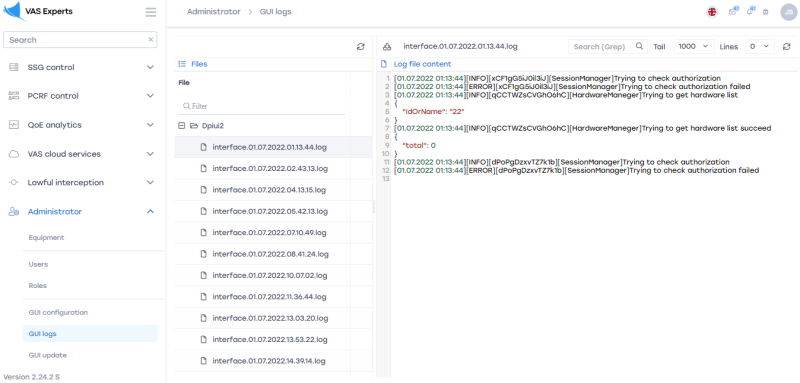
View Server files
To create or view a custom server that provides access to work in the section, go to «Equipment»
To update the list of files, click on the "Update"" button located in the toolbar.

To view the contents of the file, double-click on the selected file. A form with information will open on the right.
View the contents of log files
Download file
To download the file completely to your device, click on the "Download the file completely" button.

Get information on the last lines
To get information on the last n-lines of the log file, select the appropriate value from the drop-down list.

Update the log file
To update the file, click on the "Update" button.

Was this information helpful?