


NAT Flow configuration
There are three ways to generate a NAT log in QoE Stor (statistics server):
- Receive the NAT Flow as a separate stream from the SSG. To do this, configure export of translations to external collectors on the SSG device;
- Receive NAT Flow from Netstream of third-party systems (not from SSG);
- Generate NAT Flow from FullFlow using QoE Stor.
Configuring reception of a separate NAT Flow stream from DPI or Netstream
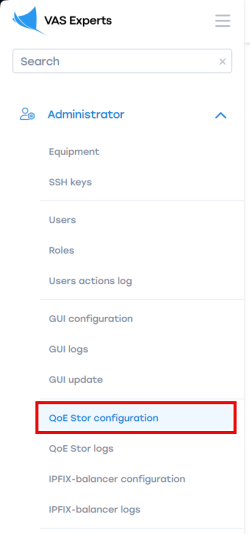
- Go to: Administrator → QoE Stor Configuration;
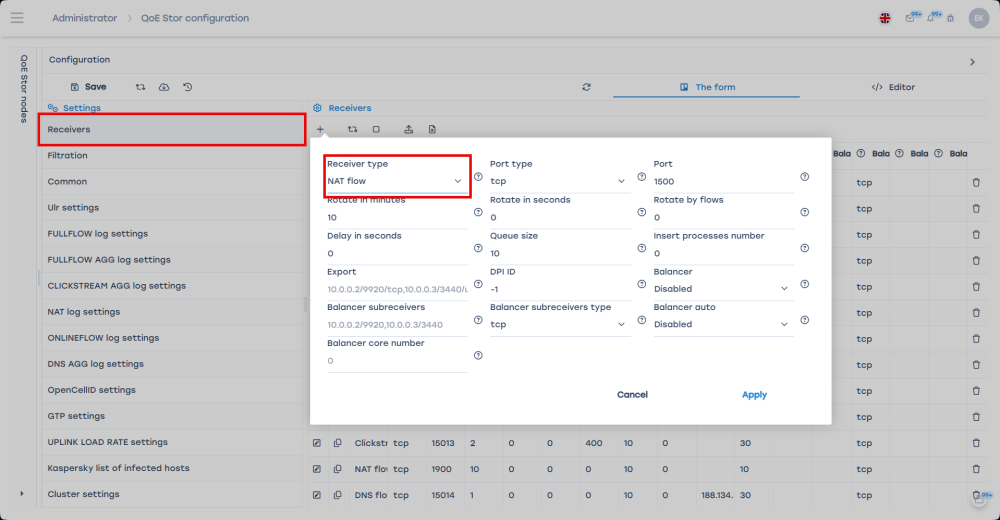
- Go to the "Receivers" section; add a new receiver; select "Receiver type" — NAT Flow; fill in the receiver form and click "Apply";
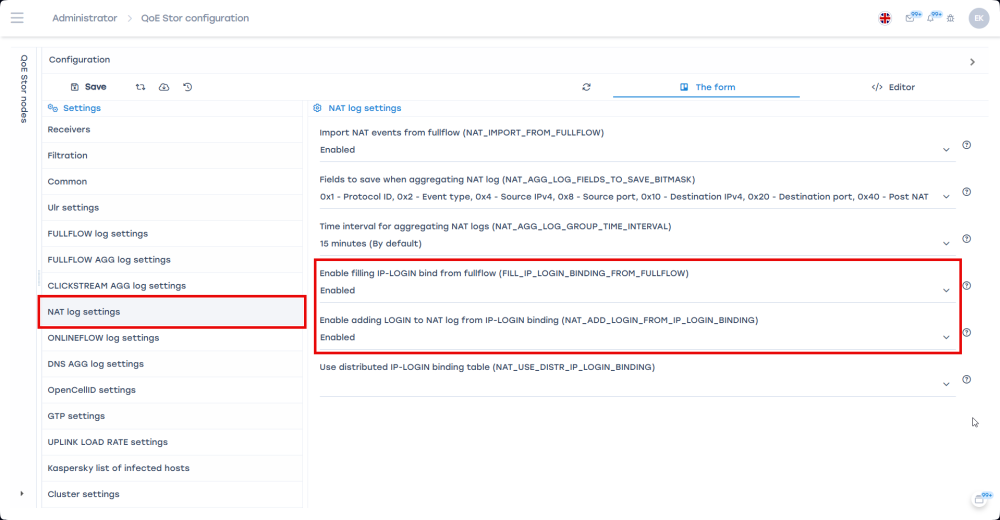
- Go to the "NAT Log Settings" form section:
- Enable IP-LOGIN binding from fullflow (FILL_IP_LOGIN_BINDING_FROM_FULLFLOW);
- Enable adding LOGIN to NAT log from IP-LOGIN binding (NAT_ADD_LOGIN_FROM_IP_LOGIN_BINDING).
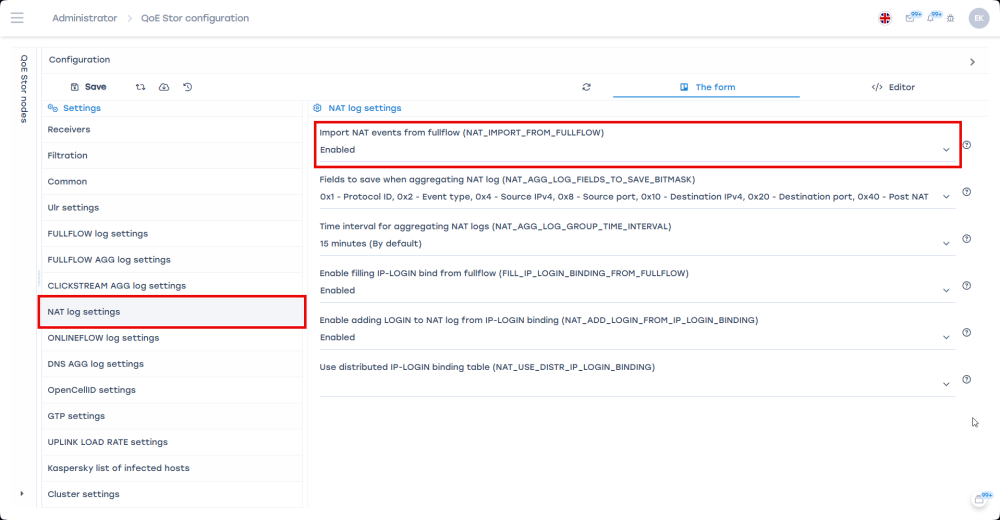
Enabling NAT event import from FullFlow
To enable importing NAT events from FullFlow transmitted from DPI to QoE Stor:
- Go to: Administrator → QoE Stor Configuration;
- Enable NAT event import from fullflow (NAT_IMPORT_FROM_FULLFLOW).
NAT Flow aggregation
- Go to: Administrator → QoE Stor Configuration;
- Select "NAT Log Settings" → choose fields to save when aggregating the NAT log and set the log fill time interval (default: 15 minutes);
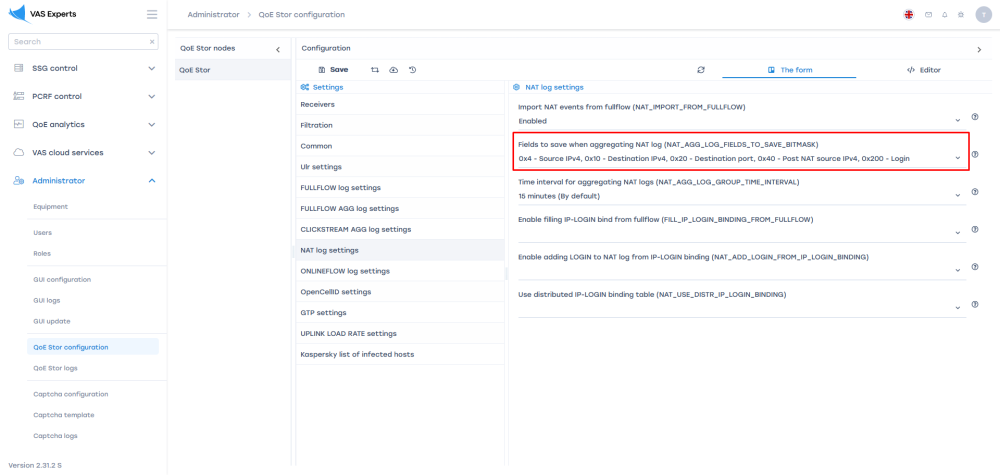
- Save the changes and restart the service.
Was this information helpful?